![sched-logo.svg]](https://support.sched.com/hubfs/sched-logo.svg)
Display your event schedule on iPads, flatscreen TVs, or projected on-stage between sessions. Save money on printing and ensure your signage is always accurate and up-to-date. Before your event begins, the signage displays 5 upcoming sessions. During your event, the signage shows 1 previous session, the current session, and the next 3 sessions (or the next 4 sessions if there's no previous session). 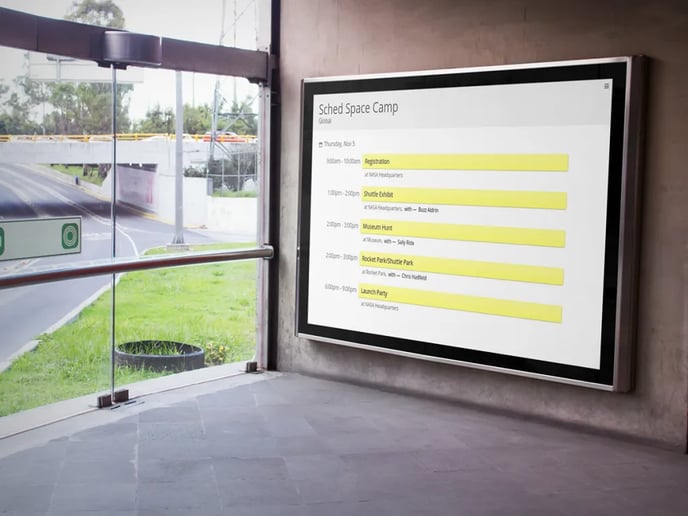
Monitors
Monitors
Your digital signage will update as sessions expire and pull in changes to sessions every 10 minutes. Display your entire event schedule or a single venue and choose a dark or light theme.
Display More Than Five Sessions
- On your display device (iPad, monitor, computer), open a web browser and go to: http://yourevent.sched.com/monitors/
- Click the menu icon to choose which venue and theme to use.
- Close the menu and you're done.
Display More Than Five Sessions
Adjust the number at the end of this URL to manually change the number of sessions displayed: http://yourevent.sched.com/monitors/?limit=15 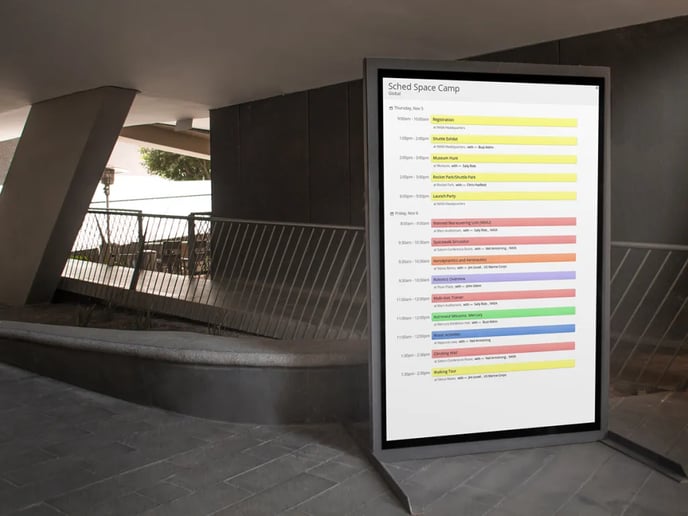
Use Direct Links
Use Direct Links
If you're not able to access the menu on your display device, use the direct links to display specific venues and use dark mode.
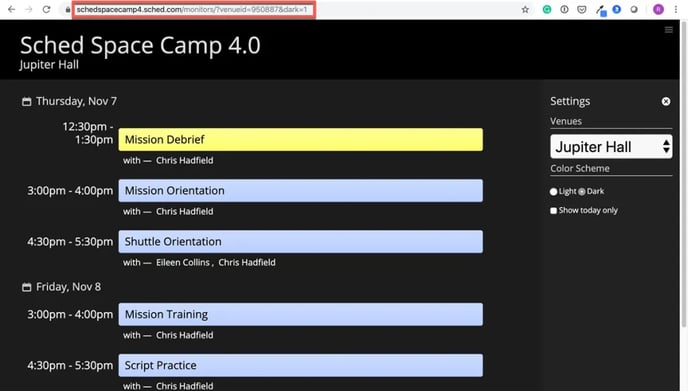
- On your computer, open a web browser and go to: http://yourevent.sched.com/monitors/
- Click the menu icon to choose the venue and theme.
- Copy and paste the full URL to your display device.